Textbooks classify picking into "single", "batch", "zone", and "wave" — clean categories that rarely map cleanly onto real operations. In practice, the most useful distinction is simpler: does a picker sort items to their orders during the pick walk, or does sorting happen afterward at a dedicated station? Everything else — which tools to use, how to lay out the warehouse, whether zone picking makes sense — follows from that answer.
The two frameworks: pick-and-sort vs sort-after
The picker carries a multi-compartment sorting trolley. Each compartment is pre-assigned to one order. When the picker scans an item, the WMS tells them which compartment it goes into. When the walk is complete, every compartment is a complete, sorted order ready for packing.
The picker collects all required units of a single SKU across many orders in one pass — e.g., 37 units of SKU-A for 37 different orders. Items are then sorted to individual orders at a sorting station. Eliminates redundant location visits; the trade-off is a separate sorting step.
Most warehouses use the pick-and-sort model for the majority of their orders. The sort-after model becomes attractive only when a handful of SKUs account for the bulk of order lines — common in FMCG, single-product campaigns, or high-velocity subscription boxes where the same few items appear in most orders.
Special mode: label-first bulk picking for Flash sales & live stream orders
Flash sales and live stream orders create a unique situation: hundreds or thousands of orders placed within minutes, all for the exact same product in the same quantity. The standard pick-and-sort or sort-after workflow is built for order variety — it's overkill here, and too slow. When every order is identical, there's nothing to sort and nothing to verify. A dedicated label-first workflow collapses the entire pick-pack-ship process into a single, fast loop.
Step 1 — WMS detects a homogeneous order batch. The system identifies that N orders all share the same SKU and quantity. It triggers the label-first workflow automatically and batch-prints all N shipping labels before picking starts.
Step 2 — Bulk pick. A picker collects all N units in a single pass. No compartments, no sorting trolley — just a pallet or flat cart stacked with the right count.
Step 3 — Pack and label in one motion. Each unit goes into its packaging, one label goes on. No packing station scan, no order verification — because every unit is already a complete, correct order. The picker moves directly from pick floor to outbound dock.
The reason this works — and why you can safely skip the packing station verification step — is that the risk of mixing orders doesn't exist when all orders are identical. There's no wrong item to put in, and there's no ambiguity about which label goes on which package. The WMS still tracks each label number to confirm it shipped, but the picker doesn't need to pause for a scan-confirm at every item. One person can process several hundred live stream units in the time it would take to run the same volume through a standard packing station.
This mode requires the WMS to identify the trigger condition automatically — if the warehouse manager has to manually decide each time whether to use label-first, the speed advantage disappears. A well-configured WMS sets a rule: "if N orders share the same SKU and quantity and exceed a threshold (e.g., 50+ orders), automatically queue for label-first." The moment the live stream ends and orders flood in, the system is already printing labels.
How WMS recommends the right picking tool
When a picker receives a task, the WMS doesn't just tell them where to go — it tells them what to bring. The tool recommendation is based on two variables: item size and order structure. Getting this wrong is expensive: sending a picker with a small sorting trolley to pick furniture, or sending a picker with a pallet jack to pick jewellery, creates the kind of inefficiency that compounds across hundreds of daily picks.
| Item size | Order structure | Recommended tool | Method |
|---|---|---|---|
| Small (fits in hand) | Multiple SKUs per order (2–8 lines) | Sorting trolley (multi-compartment) | Pick-and-sort |
| Small — concentrated SKU | High volume, 1–2 SKUs dominate most orders | Sorting trolley + sort station | Sort-after |
| Medium (box size, 5–20 kg) | Mixed SKUs, moderate volume | Two-level flatbed cart | Pick-and-sort (by order per level) |
| Large / heavy / case-level | B2B / wholesale, full-case or pallet quantities | Pallet / pallet jack | Single order (one pallet per order) |
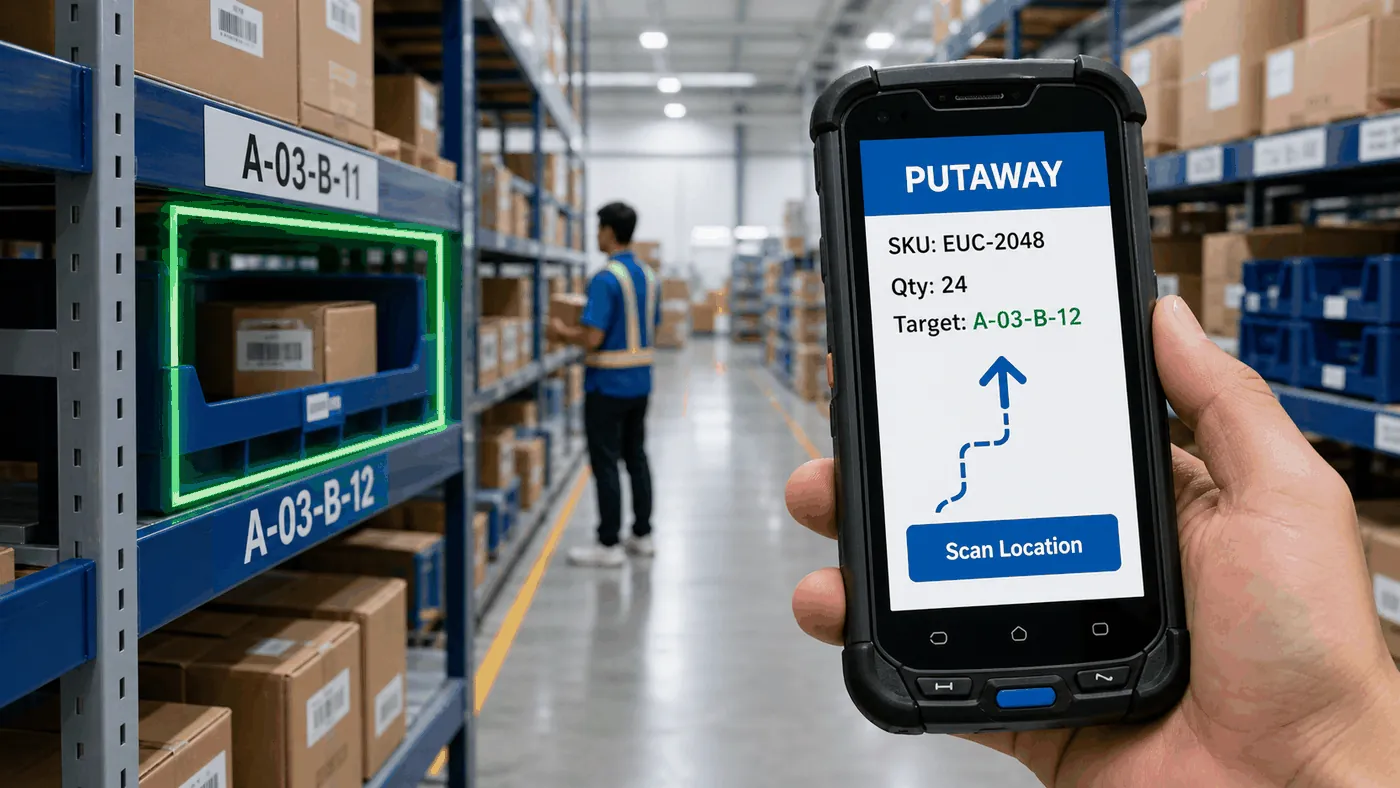
In a well-configured WMS, the picker doesn't decide which tool to use — the system assigns it when the task is generated. The picker scans in, sees "Sorting Trolley — 8 compartments — Wave 2", and knows exactly what to grab before heading to the first location. This removes the judgment call at the floor level and keeps tool utilisation consistent across shifts.
Zone picking: avoid it where possible — and how to plan around it
Zone picking divides the warehouse into fixed zones and assigns one picker per zone. Orders that require items from multiple zones have to be consolidated at a merge station before packing. It looks efficient on paper — pickers specialise in a smaller area — but the consolidation step is where it often breaks down in practice.
Zone A finishes their picks for Order #1042 in 4 minutes. Zone B is still working on 12 other orders and won't get to #1042 for another 18 minutes. The order sits waiting at the merge station. Every order that spans zones carries this wait — and the merge station can become a bottleneck that throttles the entire outbound flow, not just the orders pending consolidation.
The better solution: solve it at the slotting stage
If the reason zone picking exists is to reduce travel distance per picker, the better solution is to cluster SKUs so that most orders don't need to cross zones in the first place. By slotting products according to how they're ordered together — not just by category or supplier — you can design a warehouse where a single picker can complete most orders within a compact area, without ever needing a merge step.
Three slotting dimensions that reduce cross-zone picking:
Zone picking is often a workaround for poor slotting. Fix the slotting, and the zone picking problem fixes itself.
Wave picking: the scheduling layer above everything else
Wave picking isn't a picking method on its own — it's a scheduling decision about when to release orders to pickers. Instead of releasing each order the moment it arrives (continuous flow), wave picking groups orders and releases them at set times aligned to carrier cut-offs or SLA deadlines.
You can run pick-and-sort or sort-after inside a wave — the two are independent. Wave planning ensures high-priority orders are always picked first, and controls the flow of work into packing so stations aren't overwhelmed. For any operation with multiple SLA tiers or more than one carrier cut-off time in a day, wave planning is the single highest-leverage scheduling change you can make without adding headcount.