Many ecommerce owners experience the same turning point: last year, a small team could handle a few dozen orders per day; this year, orders have multiplied, but the warehouse is slower, employees are busier, and inventory is getting messy.
Most companies do not start by looking for warehouse software. They start looking for help when order growth turns the warehouse into a bottleneck.
Case 1: Why NEO's self-developed system was not enough after moving from B2B to ecommerce
NEO started as a B2B company. As the business expanded into Shopee, Lazada and TikTok Shop, order volume kept growing, and the company decided to build its own ecommerce warehouse.
NEO did have a system. They had developed an internal system for ecommerce operations, but as they entered real ecommerce fulfillment, they found that an ecommerce warehouse is very different from a traditional B2B warehouse.
- Orders from multiple platforms need to be managed together.
- Inventory must be synchronized close to real time.
- One order may contain multiple SKUs.
- Picking, checking and packing need standardized workflows.
The real issue was not that the system could not be used. The issue was that the system logic was different. ERP systems focus on purchasing, sales and finance, while ecommerce fulfillment focuses on warehouse execution: how to reduce walking, reduce errors and ship orders faster.
NEO realized that what they needed was not only software, but a mature ecommerce warehouse management method.
Case 2: Nateethong grew from dozens to hundreds of orders and reached its first warehouse bottleneck
Nateethong is a fast-growing ecommerce business. In the early stage, the team handled only a few dozen orders per day. Employees picked, packed and shipped orders based on personal experience.
When orders grew to a few hundred per day, warehouse problems became obvious.
- Finding products became slower.
- Inventory no longer matched the records.
- Wrong shipments and missed shipments increased.
- The team worked overtime but still could not keep up.
Their first question was not "Which WMS should we buy?" It was: "Can you visit our warehouse and tell us what is wrong?"
Why warehouses become chaotic when orders grow
SKU count increases
When SKU count grows from hundreds to thousands, relying on memory makes picking slower and inventory differences more frequent.
Orders become more complex
One order may contain multiple SKUs, so picking, checking and packing require clearer workflows and system support.
The team becomes larger
Without standardized processes, every employee develops their own way of working, making warehouse operations harder to control.
Sales channels multiply
Shopee, Lazada, TikTok Shop, websites and LINE sales create pressure on inventory synchronization and shipping speed.
E-commerce warehouse growth roadmap
| Stage | Orders per day | Main problems | Upgrade focus |
|---|---|---|---|
| Startup | 10-50 | Memory-based operation, no fixed process | SKU codes, fixed locations, basic inventory records |
| Growth | 50-300 | Slow picking, messy stock, more errors | Location management, barcode, basic OMS/WMS, racking plan |
| Expansion | 300-1,000 | More people but lower efficiency, packing congestion | Warehouse layout, PDA, standard process, packing station |
| Mature operation | 1,000-5,000 | Peak capacity and labor cost pressure | Wave picking, zone picking, conveyor, multiple packing stations |
| Fulfillment center | 5,000+ | Higher requirements for cost, speed and stability | Automation, system integration and data management |
- SKU coding rules
- Fixed locations
- Basic inventory records
- Barcode labels
- Standard packing steps
- Regular small cycle counts
- Location management
- SKU barcoding
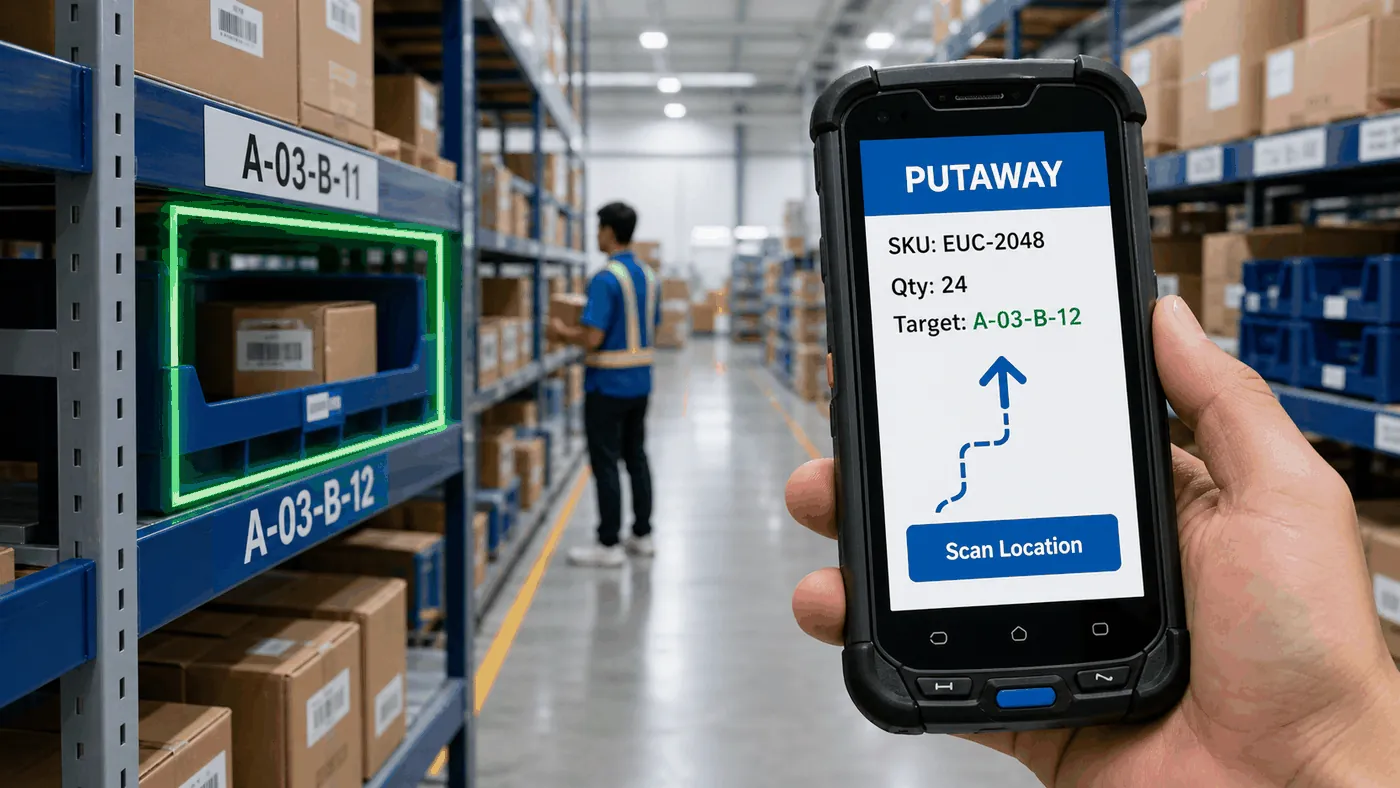
- PDA receiving, put-away and picking
- Basic OMS/WMS
- Light-duty racking plan
- Picking route optimization
- Warehouse layout redesign
- Racking, bins and location planning
- Receiving, picking, packing and staging zones
- Standard packing stations
- PDA, printers and scales
- Short conveyor feasibility
- Wave picking
- Zone picking
- Fast-moving SKU forward location
- Multiple packing stations
- Conveyors connecting zones
- Auto carton sealing, labeling and weighing
- Automated conveyor and sorting
- Multi-warehouse operations
- ERP, OMS, WMS and TMS integration
- BI dashboards
- Smart replenishment and forecasting
- Labor planning and capacity management
Different products require different warehouse designs
| Product type | Typical characteristics | Suitable warehouse solution |
|---|---|---|
| Fashion | Many SKUs, sizes and colors | Light-duty shelves, bin locations, clear SKU labels |
| Beauty products | Small items, many SKUs, batch and expiry control | Multi-level shelving, small bins, batch management |
| Daily goods | Fewer SKUs but deeper stock | Pallet racking, floor stacking, separate case and piece picking |
| Pet food / heavy goods | Heavy items and higher handling effort | Pallets, floor stacking, short travel path, carts or conveyors |
Warehouse equipment: choose what fits, not what looks advanced
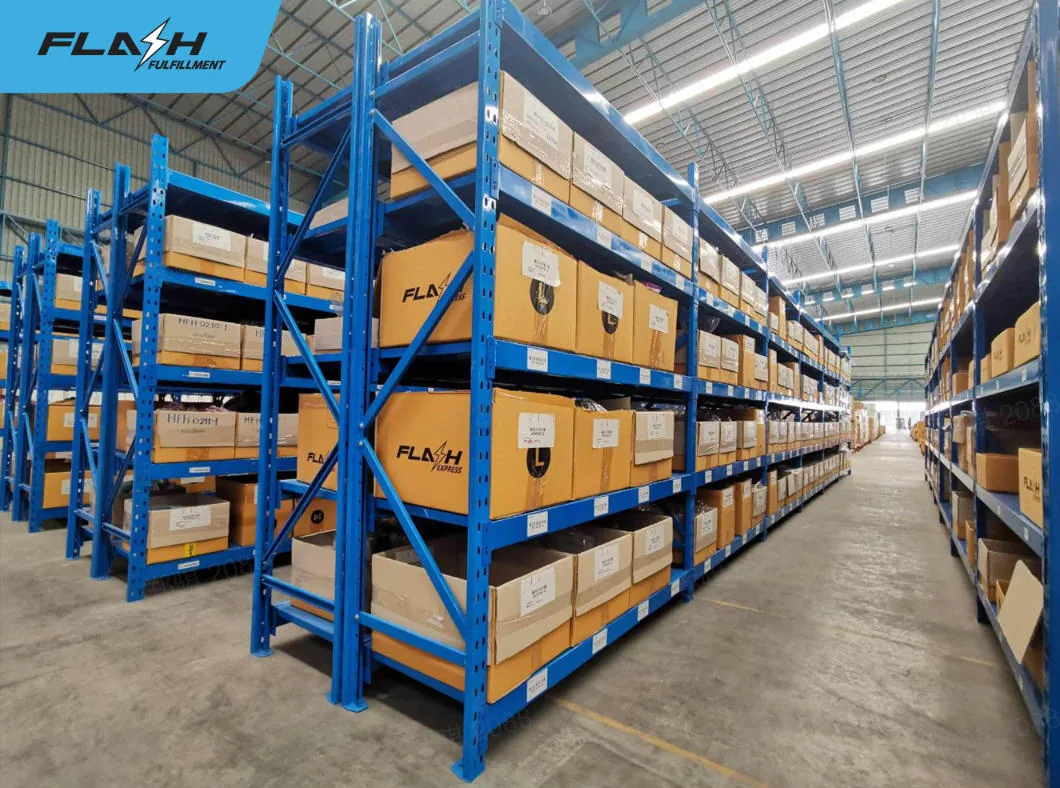
Many SKUs with shallow stock usually fit shelves or bins. Fewer SKUs with deep stock may need pallet racking or floor stacking.
A good packing station places packaging materials, scanners, printers, scales and tape in the most convenient positions.
The value of PDA devices is real-time recording of receiving, put-away, picking and stock counting activities.
Label printers are used for SKU and location labels. Waybill printers should be placed close to the related operation point.
Weighing can be connected with system and carrier rules to reduce weight errors and shipping disputes.
When there are multiple packing stations, conveyors can reduce manual movement between picking, packing and staging areas.
10 common mistakes when building an ecommerce warehouse
- Buying the tallest or most expensive racks without SKU and product-size analysis.
- Buying equipment before designing the process.
- Using one storage method for all product types.
- Making the packing area too small.
- Placing printers, scales and scanners far from the actual work point.
- Leaving no room for future expansion.
- Having no fixed locations, allowing stock to be placed anywhere.
- Using ERP as a replacement for WMS.
- Relying only on manual stock counting.
- Waiting until wrong shipments and overtime become serious before upgrading.
FAQ
When should a company start using WMS?
When orders exceed around 100 per day and the warehouse starts facing inventory differences, slow picking and wrong shipments, it is time to consider WMS or at least structured location management.
Does a small warehouse need planning?
Yes. The smaller the warehouse, the more important layout planning becomes because every square meter matters.
How many orders can a 300 sqm warehouse handle per day?
It depends on SKU count, product size, staff, PDA usage, OMS/WMS, packing station design and picking strategy. With good planning, 1,000+ orders per day can be possible.
Can ERP replace WMS?
ERP focuses on management processes such as purchasing, sales and finance. WMS focuses on warehouse execution such as location, put-away, picking, checking and stock accuracy. For growing ecommerce operations, ERP alone is usually not enough.
Should we buy racks first or plan the warehouse first?
Plan first, then buy. Rack size, levels, aisle width, location codes and product classification should be designed based on business data.
Flash provides more than WMS
When many companies face warehouse problems, their first reaction is to look for software. But software is only one tool. Real warehouse efficiency comes from the coordination of layout, process, equipment and system.
Based on years of ecommerce fulfillment experience, Flash can support warehouse assessment, business diagnosis, layout planning, racking and location design, receiving, put-away, picking, packing and shipping process optimization, equipment selection, and OMS/WMS implementation with ecommerce platform integration.